How does fiber internet travel from your internet service provider (ISP) to the WiFi devices inside your home?
The connection involves more than a fiber optic cable. Between the ISP network and your smartphone, several components work together, including neighborhood fiber distribution points, drop cables, fiber termination boxes, optical network terminals (ONTs), and WiFi routers.
Understanding this fiber internet to home WiFi journey helps explain how an FTTH connection is installed and how the final connection reaches your devices.
The Complete Path From ISP to Home WiFi
In a typical Fiber to the Home (FTTH) network, the connection follows this general path:
ISP Network → Fiber Distribution Point → Drop Cable → Home Fiber Termination → ONT → Router → WiFi Devices
The exact arrangement varies depending on the ISP and network design.
Some installations use an outdoor termination box, while others route the drop cable directly to an indoor fiber outlet or ONT.
Likewise, the ONT and WiFi router may be separate devices or integrated into one gateway.
Let’s look at each stage.
Step 1: Fiber Internet Reaches Your Neighborhood
The journey begins in the ISP’s network.
Fiber optic cables carry data from the provider’s central office or access network equipment toward residential neighborhoods.
In many FTTH deployments, feeder and distribution fibers connect the ISP network to local fiber distribution points.
These connection points may be installed in:
Their purpose is to organize fiber connections and provide access points for connecting individual subscribers.
Depending on the network design, passive optical splitters may also be installed at distribution points to share optical signals among multiple subscribers.
For homeowners, this neighborhood infrastructure is usually not visible, but it is an important part of the connection.
Step 2: A Fiber Drop Cable Connects the Network to Your Home
Once the fiber network reaches a nearby distribution point, a fiber drop cable provides the connection to the property.
The drop cable is the final outdoor fiber connection between the service provider’s distribution network and the customer premises.
There are two common installation methods:
| Installation Type |
Description |
| Aerial fiber drop |
Fiber cable runs from a utility pole or overhead distribution point toward the home |
| Underground fiber drop |
Fiber cable runs through underground conduit or another suitable buried route |
The installation method depends on the existing infrastructure, property layout, and local requirements.
Technicians must also protect the fiber from excessive bending, pulling, and physical damage.
Step 3: An Outdoor Fiber Termination Box May Be Installed
In some FTTH installations, the drop cable connects to an outdoor fiber termination box or network interface device (NID) mounted on the building.
This enclosure provides a protected location for the fiber connection before the cable enters the home.
Depending on its design, the enclosure may provide space for:
An outdoor termination box can make the connection easier to organize and maintain.
However, not every FTTH installation requires a separate outdoor enclosure. Some networks use a continuous drop cable routed directly into the building.
Step 4: The Fiber Enters the Home Through a Termination Point
After reaching the property, the fiber is routed into the building.
The installer selects a suitable entry point and protects the cable against excessive bending and physical damage.
In many installations, a fiber wall outlet provides a compact indoor termination point.
A fiber wall outlet may contain a fiber adapter, splice holder, and storage space for excess fiber, depending on its design.
It helps organize the connection between the incoming fiber and the cable leading to the ONT.
For example, an SC/APC fiber connection is commonly used in many FTTH/PON installations.
The exact connector type depends on the service provider’s equipment and network requirements.
Some installations connect the incoming fiber directly to the ONT without a separate wall outlet.
Step 5: The ONT Connects the Fiber Network to Your Home Equipment
The next component is the Optical Network Terminal (ONT).
The ONT communicates with the ISP’s optical access network and provides a connection that customer equipment can use.
In a typical installation, the ONT converts received optical signals into electrical Ethernet data.
It also converts upstream data into optical signals for transmission back through the fiber network.
The connection can be represented as:
Fiber Optic Cable → ONT → Ethernet Connection
The ONT is not the same as a conventional WiFi router.
Its main role is to terminate the optical access connection and provide network services to the customer premises.
Depending on the equipment, an ONT may also include routing or wireless functions.
Step 6: The Router Provides WiFi to Your Devices
Once the ONT establishes the internet connection, the router distributes that connection throughout the home.
With separate equipment, an Ethernet cable typically connects the ONT to the router’s WAN port.
The router then provides connectivity to devices such as:
-
Smartphones
-
Laptops and computers
-
Smart TVs
-
Tablets
-
Smart home devices
Devices can connect through WiFi or wired Ethernet.
Some ISPs supply an integrated gateway combining ONT, routing, and WiFi functions in one unit.
In these installations, a separate WiFi router may not be necessary.
Why Can WiFi Be Slow Even With Fiber Internet?
Fiber optic internet can provide high-capacity connectivity, but the speed experienced by a wireless device depends on more than the fiber connection.
Common factors include:
-
Distance between the device and WiFi router
-
Walls and other physical obstacles
-
Wireless interference
-
Router and device capabilities
-
The subscribed internet speed
-
Network congestion
For example, a home may have a high-speed FTTH connection but experience weaker WiFi coverage in rooms far from the router.
Placing the router in a suitable open location or using additional wireless access points may help improve coverage.
Fiber internet and WiFi serve different purposes: fiber delivers the broadband connection to the premises, while WiFi distributes that connection wirelessly inside the home.
Frequently Asked Questions
Does Fiber Internet Connect Directly to a WiFi Router?
Usually, the fiber connects to an ONT, which provides an Ethernet connection to the router. However, some gateways combine the ONT and router in one device.
What Is the Difference Between a Fiber Drop Cable and a Fiber Patch Cord?
A fiber drop cable connects the external distribution network to the customer premises. A fiber patch cord is generally used to connect compatible optical interfaces over a shorter distance, such as between an indoor fiber outlet and an ONT.
Is an Outdoor Fiber Termination Box Required for Every Home?
No. Some FTTH installations use an outdoor termination box or NID, while others route the fiber directly into the building.
What Does a Fiber Wall Outlet Do?
A fiber wall outlet provides a compact indoor termination and connection point. Depending on its design, it may accommodate adapters, splices, and fiber storage.
Does Fiber Internet Work Without WiFi?
Yes. Fiber internet provides the broadband connection. Devices can access it through wired Ethernet without using WiFi, provided the network equipment supports the connection.
Conclusion
The journey from ISP to home WiFi involves several stages, from neighborhood fiber distribution points to the final connection inside the home.
A drop cable carries the optical connection to the property. Depending on the installation, an outdoor termination box or indoor fiber wall outlet may provide a protected connection point.
The ONT terminates the optical network connection, while the router delivers internet access to wired and wireless devices.
Understanding these components makes it easier to see how FTTH networks connect service provider infrastructure to everyday home internet use.






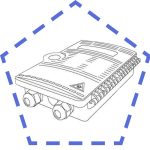 Fiber Distribution & Termination Boxes
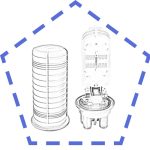 Fiber Splice Closures
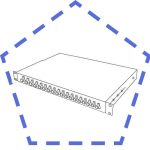 Fiber Patch Panels
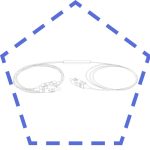 PLC FIber Optic Splitters
 Fiber Optic Pigtails
 OTDR Launch Cables
 Fiber Optic Adapters
 Fiber Optic Patch Cables